
What's the easiest way to get the most out of Swap?
Add your vehicle.
As the EV space grows in manufacturers, so do the options for charging. There are many types of chargers out there, and Swap accounts for all of them. Our map is incredibly precise on the types of chargers available, which means our map's filter grow in complexity alongside the industry.
We don't want to pass that complexity onto our users! With every plug variation, we keep track of which vehicles are compatible and which ones are not. This means that we can automatically adjust some of the more technical mapping filters for you when your vehicle is tied to your Swap account.
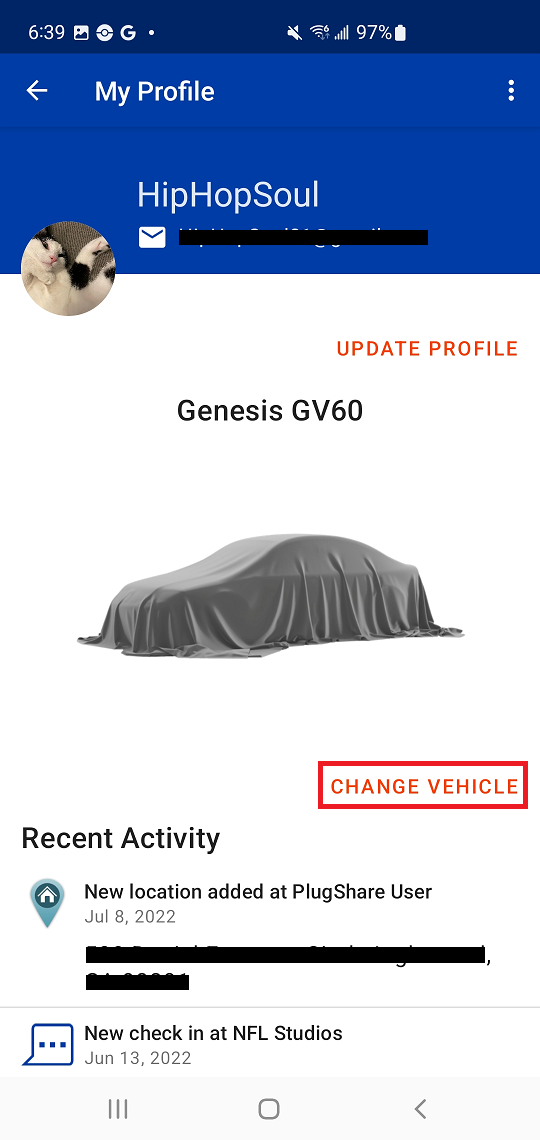
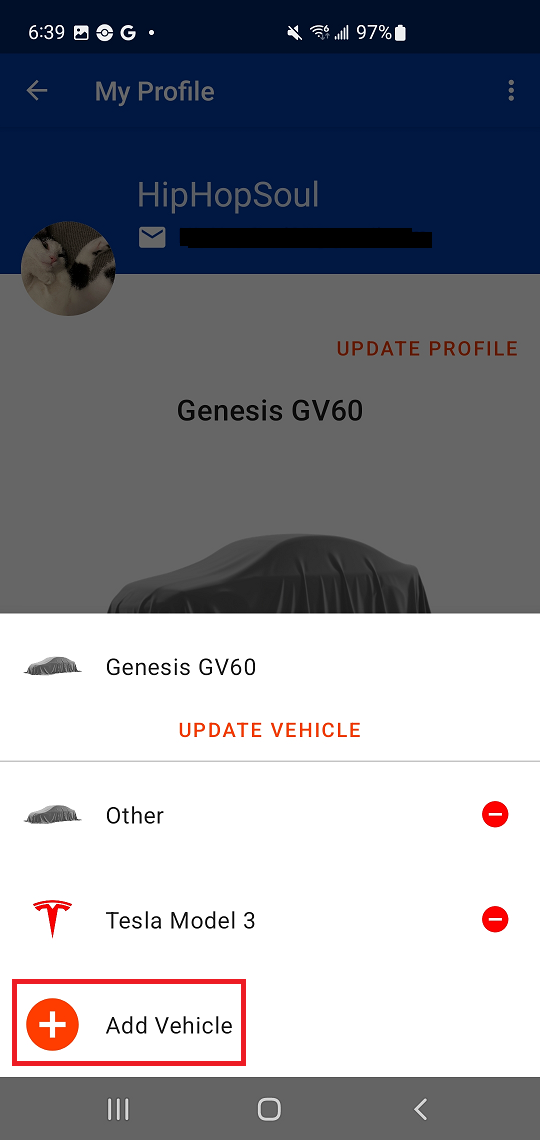
Add a vehicle on Android
- From the landing page, select "Me" at the bottom of the screen
- Select "View Profile" toward the middle of the menu
- Select “Add Vehicle" on the "My Profile" page
- Select the make, model, and trim of your vehicle
- Tap "Done" below your choices to save the vehicle to your Swap account
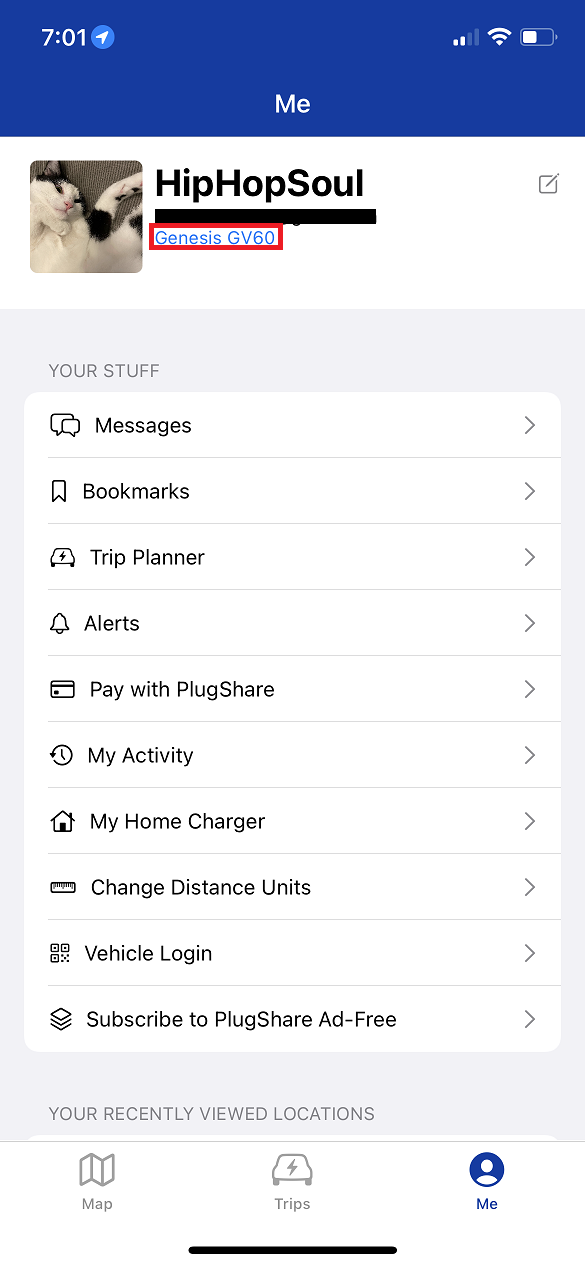
Add a vehicle on iOS (Apple)
- From the landing page, select "Me" on the bottom of the screen
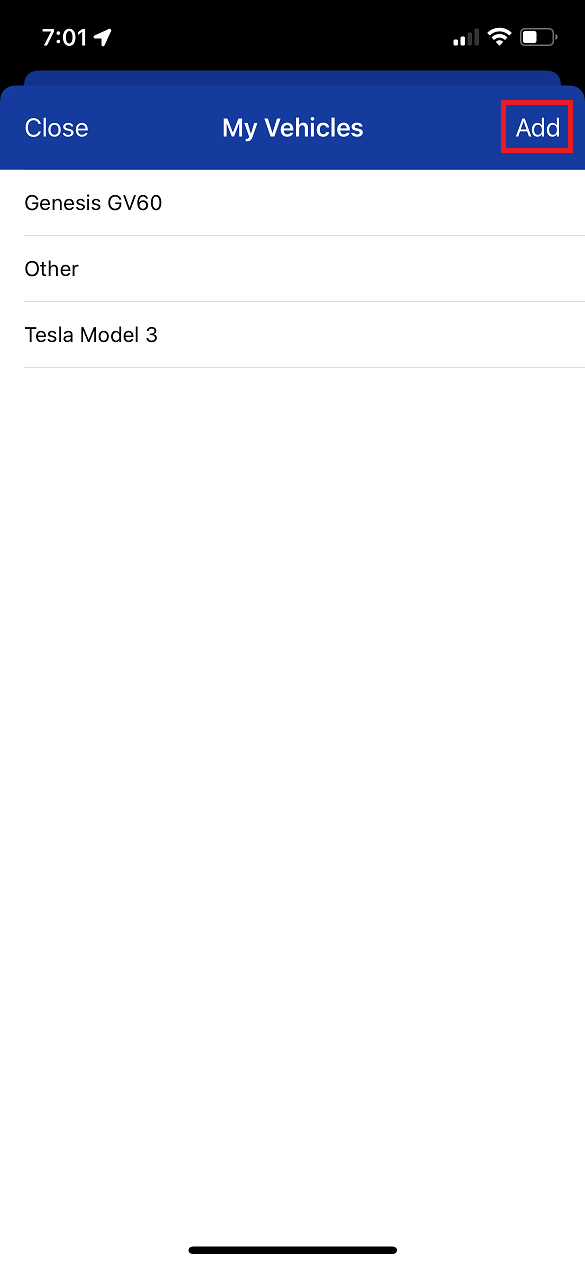
- Tap "Add Vehicle" under your account details toward the top of the screen
- Scroll through the list of cars to select the make, model, trim, and color of your vehicle
- If the brand of your vehicle offers multiple electric vehicle models, it will expand for you to select the exact model of your car
- When enough details are provided, an "OK" button will appear on the vehicle's image or logo; tap "OK" to add the vehicle to your Swap account
Comments
0 comments
Please sign in to leave a comment.